
5 Best AI WordPress Plugins Worth Considering in 2026
Look, I’ll be straight with you:
When AI content tools first started showing up in the WordPress plugin directory, I was skeptical (I still am though). I’d seen enough “revolutionary” plugins come and go. With things changing so fast, I’m quite sure the ‘revolution’ train will simply be on the move.
I’ll be talking about 5 best AI WordPress plugins you should probably check out. I believe you will see my angle and include them in your workflow. If not, that’s all right.
Mind you, you don’t have to take my word for it. These plugins are quite impressive given their price point and the way they get things done. Sure, they may not ‘suit’ your particular style of business.
However, my thoughts and testing would concur one thing:
These plugins are well suited for a variety of workflows. From my experience, you could do more than just create content.
5 Best AI WordPress Plugins Worth Knowing…
Before beginning, I would like to confirm that some of the plugins in this list are more than just your ‘typical content writers’.
As you will see in the upcoming sections, these plugins can do more than just create a piece of content. Some have the capability to handle larger workflows on your WordPress website.
Please note that in some of the plugins, there’s a cost for the plugin itself and the AI system.
1. AI Engine – A Flexible AI Plugin for WordPress
Quick Overview
- Active installations: 80,000+
- Availability of a Free version: Yes
- Pro version Pricing: Around $49 to $59/year (pricing varies slightly by source; check the official listing for current rates)
- AI costs: Separate, paid to your chosen AI provider
If you’re someone who likes to pick your own AI models rather than being locked into one vendor, AI Engine is going to feel like a breath of fresh air.
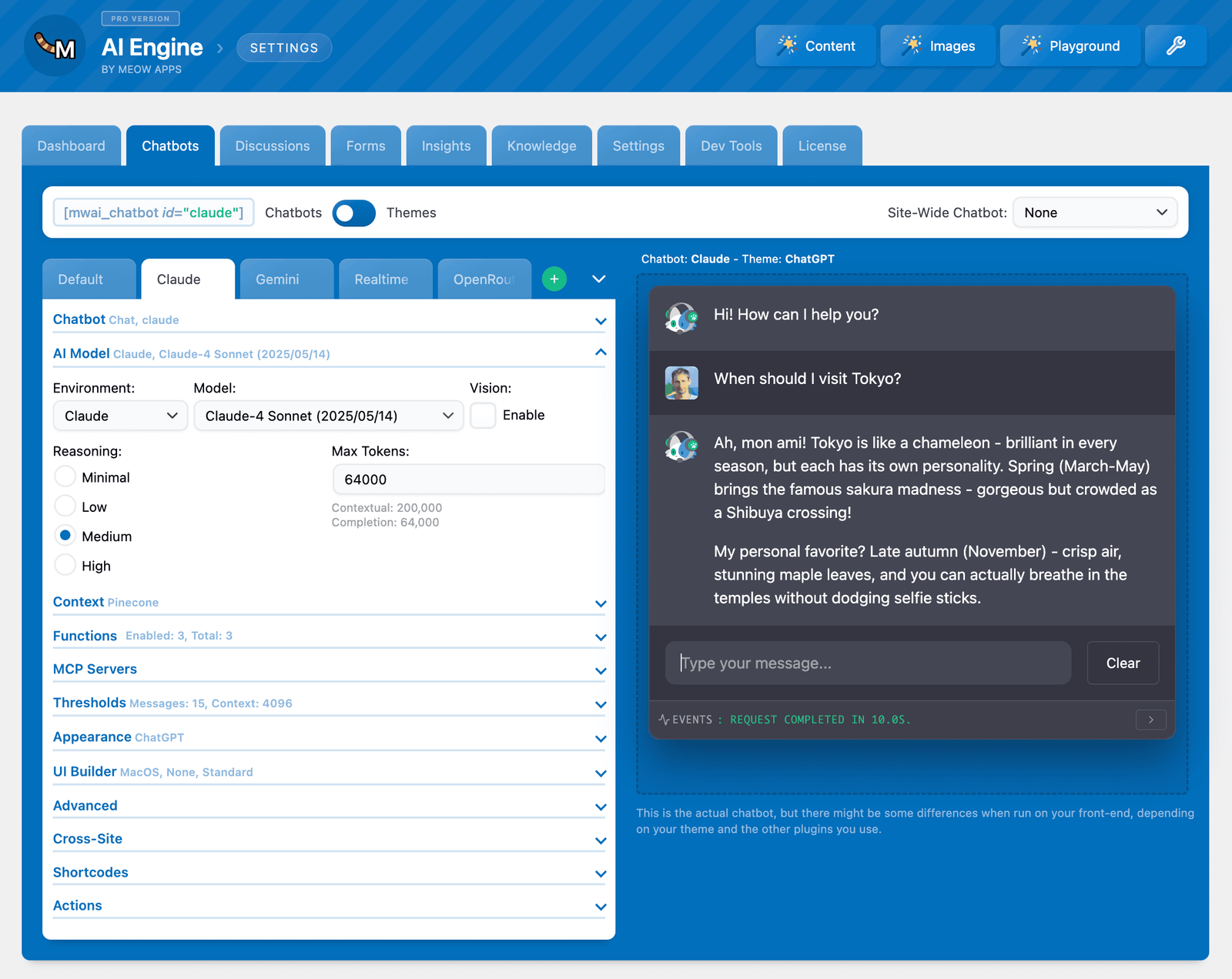
This is its defining feature: it doesn’t just support OpenAI. You can connect it to Anthropic’s Claude, Google’s Gemini, OpenRouter (which gives you access to thousands of models), Hugging Face, Replicate, and even a locally hosted AI -which, if you’re working with sensitive data, is a massive plus from a privacy and compliance standpoint.
Personally, I use Claude for optimizing my long-form content because it tends to write in a more natural, varied way. The fact that AI Engine supports it natively is a real point in its favour.
The plugin creates texts and images in a dedicated backend area (not directly in the post editor, which is a design choice worth knowing before you install it). There’s also a “Playground” for general AI tasks, a translation function, and an editor assistant that floats as a sidebar.
A chatbot function is included as well, though if chatbots are your primary goal, there are better-focused options.
There’s just one thing that frustrates me: the editor doesn’t autosave. If you navigate away mid-draft, your content is gone. I hope this gets patched soon.
That said, AI Engine’s provider flexibility – and the fact it’s partly available in languages beyond English – gives it a real edge for international users and teams.
This plugin is BEST for: Developers, advanced users, teams who want model flexibility, and anyone privacy-conscious who wants to consider local AI deployment.
2. AI Puffer (Formerly AI Power) – An AI Plugin Suitable for Most Users
Quick Overview
- Active installations: 10,000+
- Availability of a Free version: Yes
- Pro version Pricing: From $9.99/month, $95.88/year, or $289.99 one-time.
- AI costs: Separate.
This is the one AI WP Plugin I’d tell most people to start with, and here’s why:
It hits the right balance between power and usability. AI Power covers text generation, image generation (via DALL-E and alternatives like Stable Diffusion or Flux), a chatbot function, WooCommerce integration for product descriptions, and a general Playground.
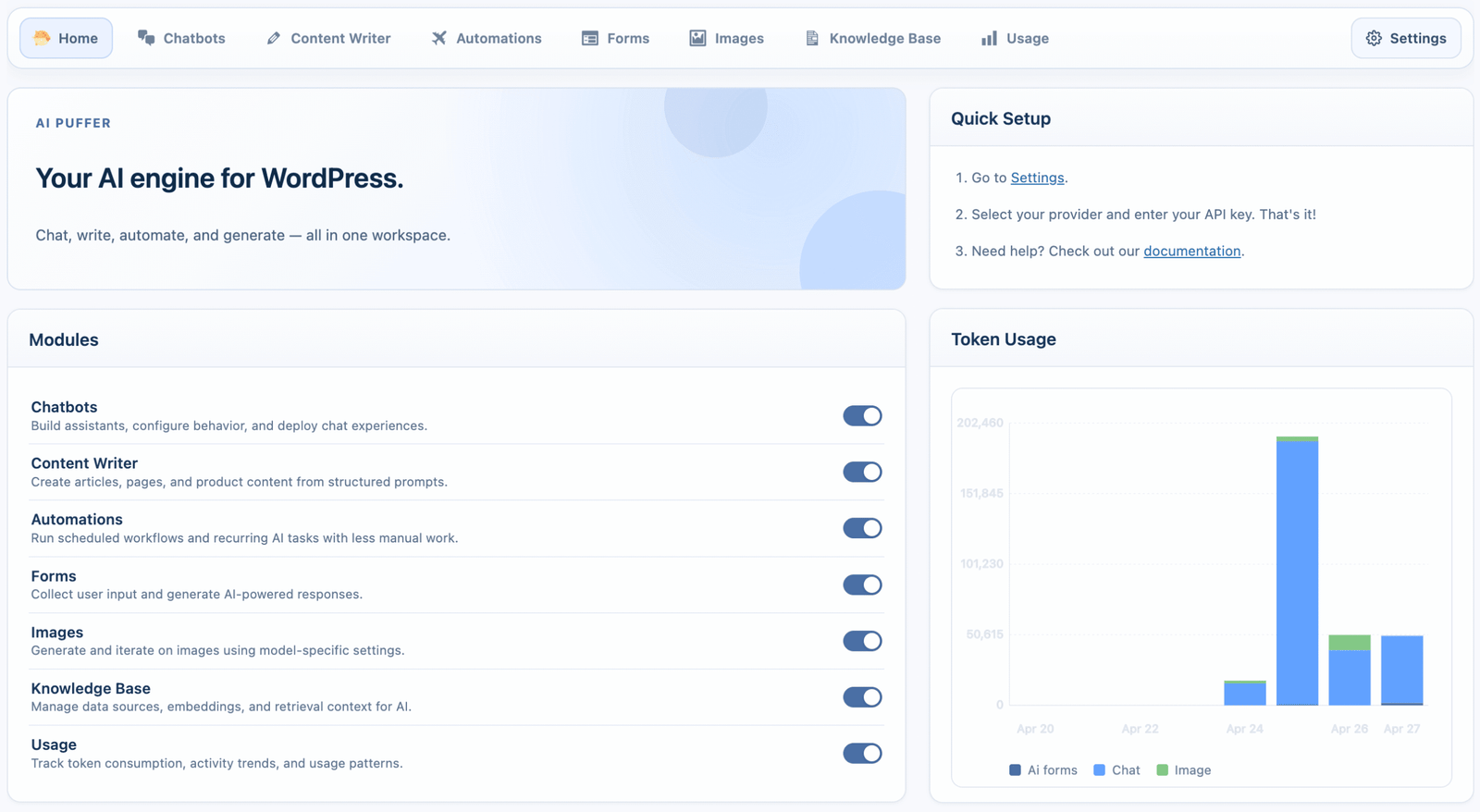
It doesn’t overwhelm you.
The “Express Mode” for writing is genuinely beginner-friendly – a clean, stripped-down interface that gets out of the way so you can get to the output.
But if you’re a power user who wants to control the prompts at every stage of the article creation process, you can do that too. That dual-lane approach is rare and valuable.
I also appreciated the Role Manager, which lets you define which features are accessible to which user roles in WordPress. If you’re running a site with multiple contributors and you don’t want junior writers accessing the full AI toolkit unsupervised, this is exactly the kind of guardrail you need.
Two things I’d note as gaps:
No. 1. Claude is not currently supported as an AI provider (only OpenAI-compatible APIs and Google), which is a limitation if you’re in the Claude camp like me.
And No.2. while image generation is solid, you can’t save setting presets for image generation, which means you’re reconfiguring things more than you should be for consistent branded imagery.
It’s also worth a mentioning that the AI Power integrates Pexels and Pixabay for free stock photos alongside AI-generated images. That’s a genuinely useful touch for teams who want real photography alongside AI visuals.
This plugin is BEST for: Small business owners, bloggers, content teams, WooCommerce operators – anyone who wants a capable all-rounder they can grow their business into.
3. Get Genie – No API Connection Hassle
Quick Overview
- Active installations: 30,000+ (surged from 5,000 in early 2023 — rapid growth)
- Availability of a Free version: Yes (2,500 AI words/month)
- Pro version Pricing: From ~$9/month or $72/year (AI usage included in plan)
- AI costs: Bundled with the paid plan
GetGenie does something the other plugins don’t:
It handles the AI provider connection for you. No developer API key. No OpenAI account. No fumbling with rate limits. You sign up, connect the plugin, and start creating. For non-technical users, this alone is worth a lot.
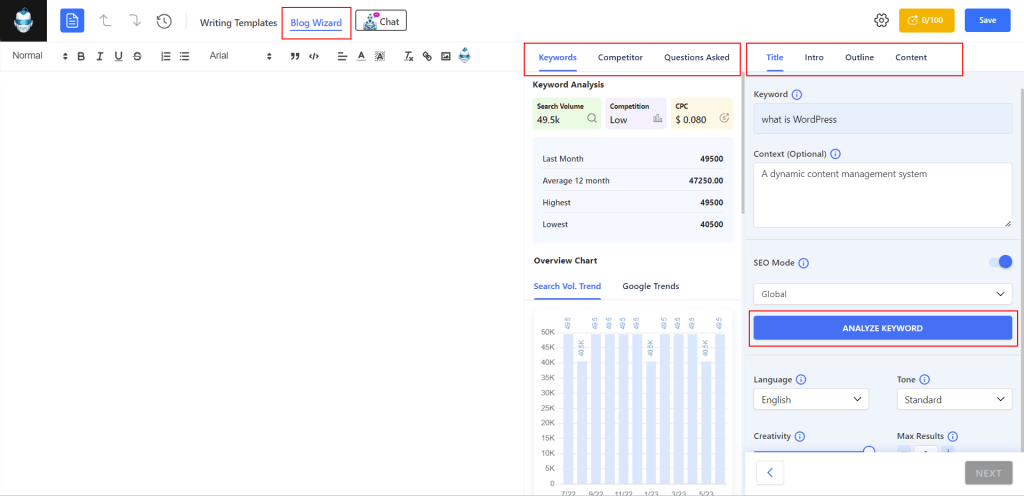
On top of that, GetGenie comes with SEO features built in – keyword analysis, competitor research, content scoring, and NLP-based optimization – all within the WordPress editor.
Now, to be fair, dedicated SEO plugins like Rank Math or Yoast will always go deeper.
But the fact that GetGenie includes even a solid subset of these tools means you’re getting real SEO context alongside your content generation, rather than having to switch tools.
Where it falls short: power users will notice the absence of tonality controls (you can’t explicitly say “write this in a confident, slightly irreverent tone”), and the individual step prompts can’t be customized the way they can in AI Power or AI Engine.
That’s a real limitation if you’ve developed a specific content system.
This Plugin is BEST for: Non-technical WordPress users, solopreneurs, and small business owners who want a plug-and-play AI plugin experience without any hardcore engineering background.
4. WP Wand – A Different Approach to a WP AI plugin
Quick Overview
- Active installations: 1000+
- Availability of a Free version: Yes (limited)
- Pro version Pricing: From $49/year or $99 one-time
- AI costs: Separate
WP Wand takes a fundamentally different approach from everyone else on this list:
Instead of a separate writing environment, AI assistance lives directly inside the editor. You’re writing in Gutenberg, Classic Editor, Elementor, or WooCommerce — and WP Wand’s AI tools sit alongside you there, rather than pulling you into a separate screen.
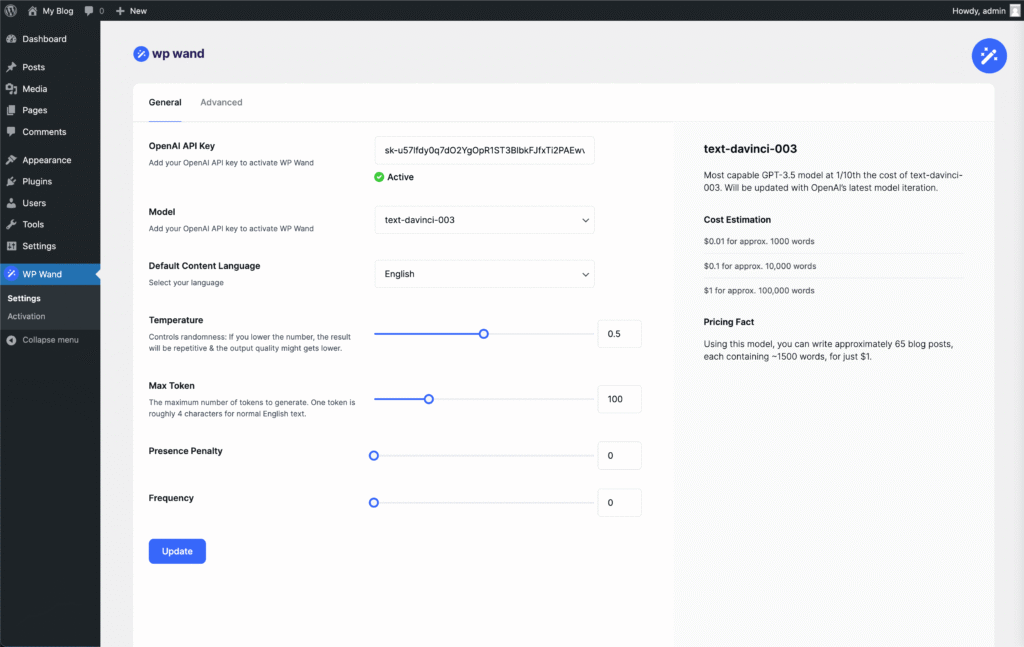
I personally like this approach. It respects your existing workflow rather than asking you to rewire how you work.
Templates for headlines, outlines, introductions, and full drafts are available, and you can go section-by-section or generate a full post in one go.
There’s a beta integration with Rank Math and Yoast SEO, which, if it matures, could be genuinely useful. Right now it’s limited, but the direction is right.
The notable gap: no image generator. If visual content is a big part of your workflow, WP Wand alone won’t cover you there.
This Plugin is BEST for: Writers and editors who want AI assistance without leaving their normal editing environment; people who prefer to write rather than have AI write for them.
5. Easy MCP – A Growing MCP WordPress Plugin
Quick Overview
- Active installations: 1000+
- Availability of a Free version: Yes
Easy MCP AI operates in a completely different league from every other AI WordPress plugin I’ve looked at.
Most AI plugins sit next to your editor and help you write. Easy MCP AI connects your AI assistant directly to your WordPress site – and lets it act. We’re not talking about generating a draft you then copy-paste into WordPress.
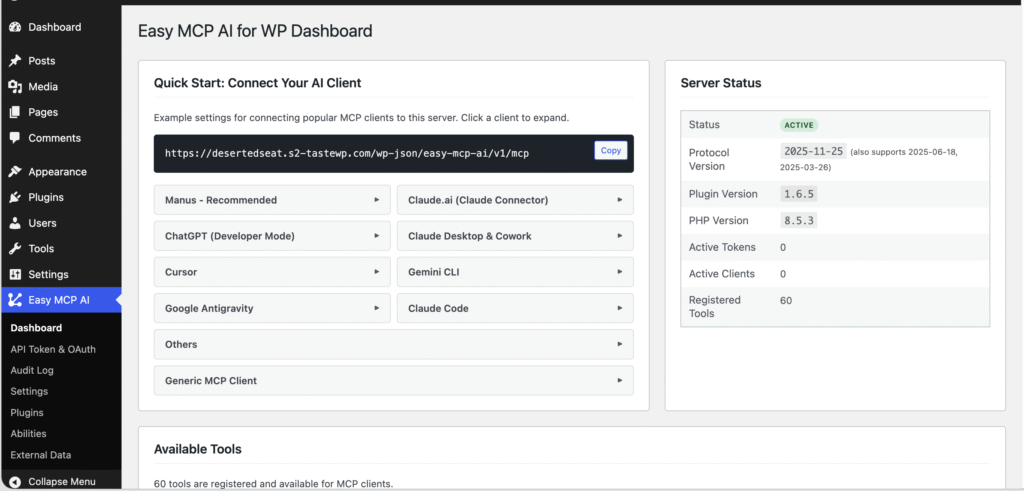
We’re talking about your AI researching a topic, writing the post, uploading the featured image, setting the Yoast focus keyword, and hitting publish — all from a single conversation, while you watch.
The plugin exposes 74 core tools out of the box: full management of posts, pages, media, categories, tags, menus, users, plugins, blocks, custom post types, and site settings. Install the companion integrations and that number climbs to 214 tools, covering WooCommerce, Yoast SEO, Rank Math, GA4, SEMrush etc.
I also want to flag the security model, because handing an AI agent the keys to your live site is not something to gloss over. Easy MCP AI handles this well:
Every token is stored as a SHA-256 hash (the raw token is never saved), each token has its own granular permission set so you can give a writing AI only post-creation access while your automation token gets broader rights.
The honest caveat: this is not a beginner plugin. Setup requires configuring MCP servers in your AI client, which means editing JSON config files and understanding how token scoping works.
No paid tier exists yet. The core plugin is free, though data integrations like DataForSEO and Semrush carry their own subscription costs.
This Plugin is BEST for: Digital marketers, content agencies, and WooCommerce operators who want their AI to execute tasks inside WordPress – not just generate text alongside it.
If you’re comfortable with MCP setup and want a research-to-publish workflow that doesn’t require touching the admin panel, nothing else comes close right now.
Why Use an AI Plugin Inside WordPress at All?
That’s actually a fair question. You already have ChatGPT, Claude, Gemini – why not just use those and paste the result into WordPress?
There are a few reasons:
The Friction adds up: If you’re publishing regularly, bouncing between tabs, copying, reformatting, and uploading images manually is death by a thousand cuts. A plugin that keeps everything in one place saves more time than you’d think.
Context matters: The better AI plugins let you feed in information about your brand, your audience, and your content goals – so every output starts closer to where you need it. External AI tools don’t know your product catalog, your tone guide, or your WooCommerce inventory.
Everything in One Place: Creating a blog post, generating a featured image, and uploading it – all without leaving the WordPress backend – is genuinely useful.
That said, these plugins are not magic. They’re power tools. And like any power tool, they’re only as good as the person using them.
Let me also be clear about something upfront:
AI-generated content, on its own, is a liability in 2026:
Google’s Helpful Content updates have made it abundantly clear that thin, unreviewed, mass-produced AI text is a fast track to obscurity. What works is using AI as a thinking partner, a drafting assistant, or a workflow accelerator – not a content replacement.
Keep that framing in mind as I walk you through these plugins.
What These Plugins Still Can’t Do (And Why That Matters for Your SEO)
Here’s my honest assessment after testing these tools:
They’re all built around content creation, and almost none of them meaningfully help with content strategy.
There’s no plugin that helps you identify content gaps in your site, map a topic cluster, or tell you which of your existing posts need updating to stay relevant.
And from an SEO standpoint:
AI-generated content that hasn’t been meaningfully reviewed and edited is a risk, not a shortcut.
Google’s systems are increasingly capable of identifying low-effort, AI-heavy pages. What ranks in 2026 is content that demonstrates genuine expertise, real experience, and editorial judgment, things a plugin alone cannot provide.
My advice: pick one, learn it well, and integrate it into a workflow where a human still makes the final call on quality. That’s where you’ll get the real return.
